

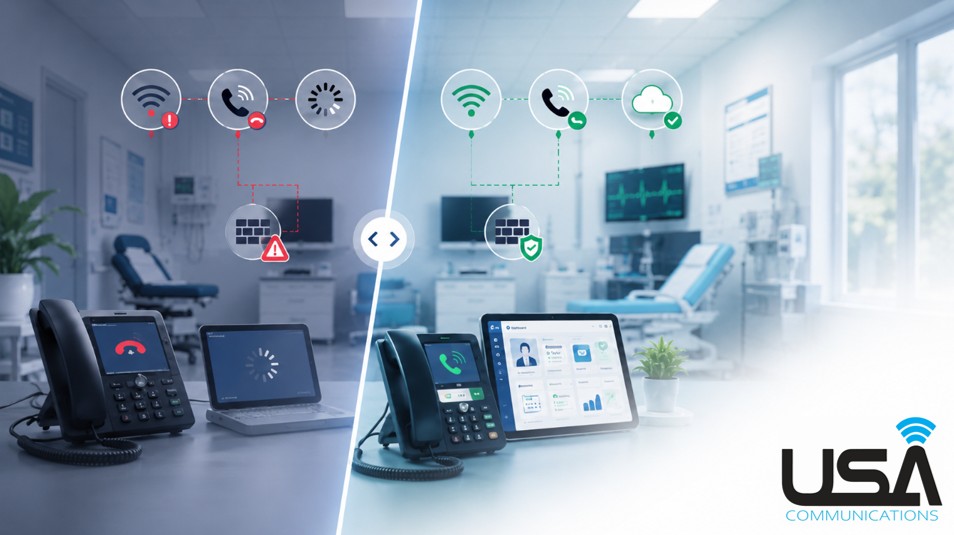
Healthcare Technology continues to become more connected. Phones, electronic health records, cloud applications, AI tools, scheduling platforms, payment systems, Wi-Fi devices, and other technologies healthcare organizations use every day all depend on the infrastructure behind them.
When one of those systems starts performing poorly, it is easy to assume the software itself is the problem.
Sometimes it is.
But sometimes the problem starts with the network.
A strong internet connection is important, but bandwidth alone does not determine whether technology will perform well. Wi-Fi coverage, firewall configuration, network equipment, redundancy, and how the environment is configured around the organization all play a role.
A Better Phone System Still Needs the Right Network
One healthcare practice we worked with had an appointment desk that was overwhelmed with calls.
Their previous phone environment gave them very little visibility into what was actually happening. They could not easily measure how many calls were coming in, how long patients were waiting, where calls were being lost, or how frequently patients were unable to reach someone.
We moved the practice to a new contact center that created a much better patient call flow while giving management access to the analytics they had been missing.
The new workflow was working well, but another problem quickly became apparent.
Patients were still experiencing dropped calls.
The contact center was doing what it was designed to do, but the network and firewall configuration supporting it were affecting call performance.
We worked through the firewall settings and ultimately helped the practice move to a different firewall vendor so the environment could be managed more effectively around the requirements of their phone system.
They have now been operating on the new system for approximately eight months. During that time, the practice has reported higher patient retention and more appointments scheduled than in any previous year.
The contact center contributed new capabilities, but the technology could not deliver its full value until the infrastructure supporting it was addressed.
Connectivity Is Also About Where You Need It
Network problems do not always look like dropped phone calls.
Another client operates veterinary clinics in more rural areas and treats both traditional pets and larger farm animals.
Their environment is very different from a typical medical office. Staff may be working in the main building, another area of the property, or in barn spaces where connected medical devices are being used.
Some of those devices needed to send information back to the clinic’s primary system so results could be reviewed and documented.
The devices were working. The problem was that Wi-Fi coverage did not reliably reach everywhere the equipment needed to be used.
That meant staff could end up waiting for information to upload or moving equipment back into an area with connectivity before they could complete the workflow.
We evaluated where coverage was actually needed rather than simply assuming the entire property required the same solution.
Some areas needed improved Wi-Fi coverage. In other locations, a smaller hotspot-style device made more sense.
Once the connectivity was available where the work was actually happening, staff were no longer losing the same amount of time waiting for devices to upload. The equipment became easier to use throughout the day, helping the clinic move through more animal patients without connectivity becoming the bottleneck.
The Network Has to Match How the Organization Works
These are very different environments, but the underlying lesson is the same.
A network should not be designed solely around the number of employees in a building or the speed listed on an internet bill.
It needs to support how people actually work.
A healthcare organization running cloud phones, EHR systems, AI applications, connected devices, business texting, scheduling platforms, and other cloud-based technology may have very different requirements than another organization of the same size.
Even different areas within the same location can have different needs.
This is also why simply increasing internet speed does not always solve the problem. More bandwidth cannot fix poor Wi-Fi coverage, an incorrectly configured firewall, outdated network equipment, or a lack of redundancy.
When the network is not designed around the workflow, even the right technology can perform poorly.
Signs the Network May Be Affecting Your Healthcare Technology
If staff are regularly experiencing technology problems, these are some areas worth reviewing:
- Dropped or poor-quality phone calls: Cloud phone and contact center systems rely on a stable network and proper configuration.
- Slow cloud applications or EHR access: If multiple cloud systems seem slow at the same time, connectivity or network performance may be contributing to the issue.
- Weak or inconsistent Wi-Fi coverage: Staff and connected devices need reliable coverage where the work actually happens, not just near the main office.
- Firewall configuration problems: Security is critical, but firewall rules also need to properly support the applications and communication platforms the organization uses.
- Connected devices struggling to upload data: Internet of Things and other connected equipment are only useful if information can reliably reach the systems that need it.
- One internet outage takes everything down: Phones, cloud applications, scheduling, payments, and other systems may all depend on the same connection. Internet redundancy can help reduce that risk.
- Technology performs differently throughout the building: Dead zones, aging equipment, network congestion, or poor network design can create inconsistent experiences between departments or locations.
Reliable Healthcare Technology Starts Underneath the Applications
Healthcare organizations continue to adopt technology designed to make staff more efficient and improve the patient experience.
But adding better applications does not automatically create a better technology environment.
Before replacing another application or assuming a vendor’s software is the problem, it may be worth looking at the infrastructure underneath it.
USA Communications helps organizations evaluate internet connectivity, Wi-Fi, firewalls, network equipment, redundancy, communications systems, and the technology supporting their daily operations.
A Free Technology Assessment can help identify where the network may be creating unnecessary problems and where improvements could better support the technology your staff already relies on.